
Which Whisper model should you use? VRAM, RAM and speed by model
By the Toolbay team · Updated
With an NVIDIA graphics card that has 3 GB of video memory or more, use large-v3-turbothrough whisper.cpp as a quantized file (a 574 MB download; OpenAI's own Python package wants about 6 GB). OpenAI describes turbo as an optimized large-v3 with “minimal degradation in accuracy” at about 8 times large's speed. Without a usable GPU, use small (small.en for English) on a recent 8-thread CPU and base on an older laptop.
Below: every model's size, memory and speed in one table, the exact hardware rules our free dictation app uses to choose, and what to do on AMD, Intel and Apple hardware.
Whisper model sizes, VRAM and speed compared
OpenAI publishes six sizes. Its own Python package needs the video memory in the third column; whisper.cpp, the C++ port most desktop apps use, needs far less memory (fourth column) and runs on a CPU as well.
| Feature | Parameters | VRAM (OpenAI package) | Memory (whisper.cpp) | Relative speed |
|---|---|---|---|---|
| tiny / tiny.en | 39 M | ~1 GB | ~273 MB | ~10x |
| base / base.en | 74 M | ~1 GB | ~388 MB | ~7x |
| small / small.en | 244 M | ~2 GB | ~852 MB | ~4x |
| medium / medium.en | 769 M | ~5 GB | ~2.1 GB | ~2x |
| large (v3) | 1550 M | ~10 GB | ~3.9 GB | 1x |
| turbo (large-v3-turbo) | 809 M | ~6 GB | not listed | ~8x |
Memory each Whisper model needs in whisper.cpp
large-v3 vs large-v3-turbo: which is better?
For dictation and transcription in the spoken language, turbo. It has about half of large's parameters (809 M vs 1550 M), OpenAI rates it about 8 times faster, and the accuracy loss is small. The one thing it can't do: OpenAI says turbo “is not trained for translation tasks”. If you need Whisper to translate speech into English, use large-v3 or medium.
There is no English-only turbo or large. For the smaller sizes, OpenAI says the .enmodels “tend to perform better” in English, most of all tiny.en and base.en; the gap shrinks for small.en and medium.en. That is why apps choose them when your language is set to English.
How a dictation app picks the model for your hardware
Toolbay Flow, our free, open-source dictation app, makes this choice for you. These are the exact rules in its source code: it reads your graphics card, video memory, RAM and CPU threads, then picks the biggest models that still feel instant. The second model cleans up the text (filler words, punctuation).
| Feature | Speech model | Cleanup model |
|---|---|---|
| NVIDIA GPU, 6 GB+ VRAM (or Apple silicon, 24 GB+) | large-v3-turbo, quantized | Qwen3 4B |
| NVIDIA GPU, 3-6 GB VRAM (or Apple silicon, 12-24 GB) | large-v3-turbo, quantized | Qwen3 1.7B |
| Apple silicon under 12 GB | small, quantized | Qwen3 1.7B, light cleanup |
| AMD or Intel GPU, 3.5 GB+ VRAM (Windows) | small, quantized (on the CPU) | Qwen3 1.7B (on the GPU) |
| No usable GPU, 8+ CPU threads and 12 GB+ RAM | small, quantized | Qwen3 1.7B, light cleanup |
| Anything else | base, quantized | Qwen3 1.7B, light cleanup |
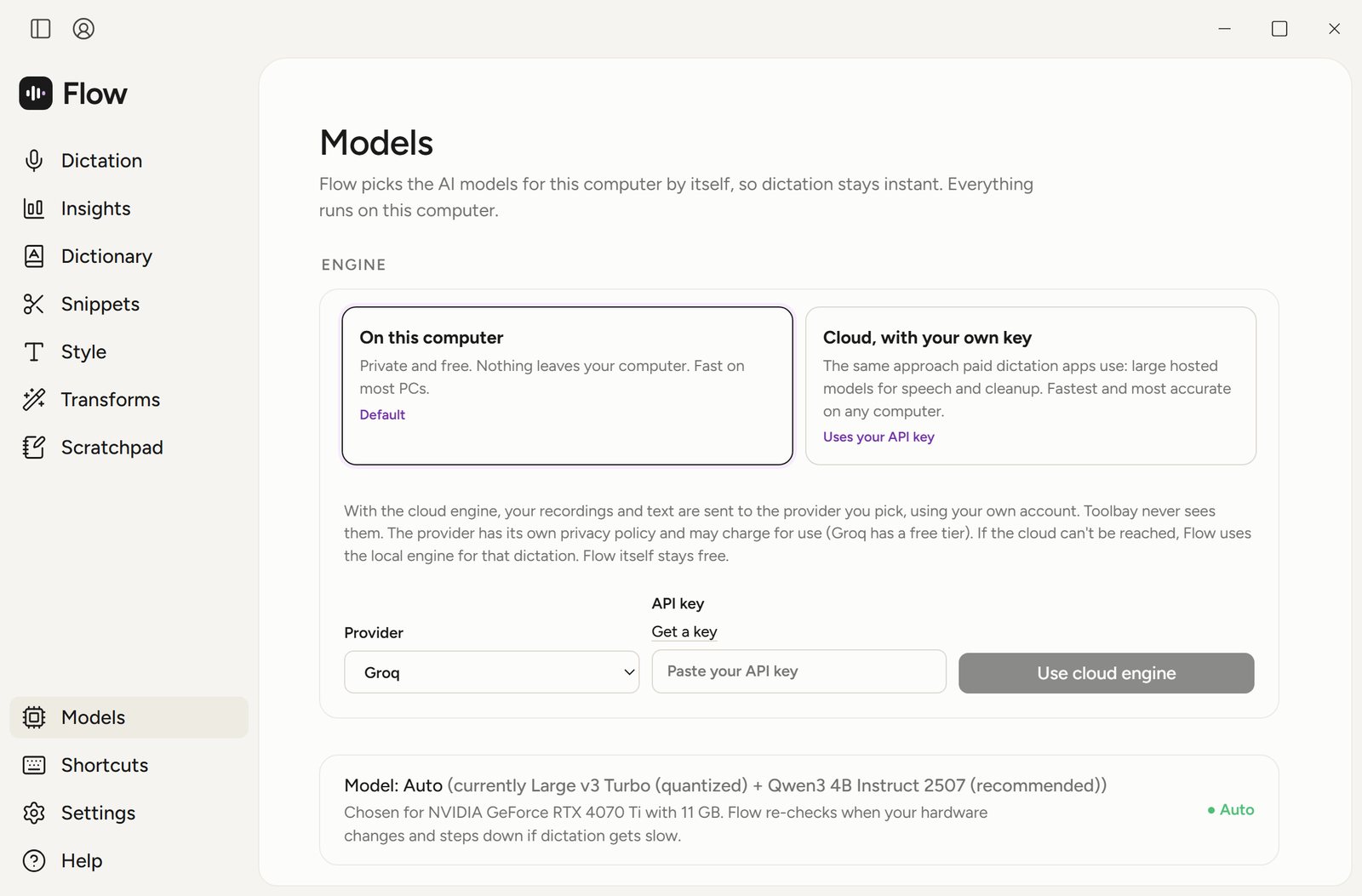
The 3 GB line is lower than OpenAI's ~6 GB for turbo because Flow runs a quantized turbo file through whisper.cpp, not OpenAI's Python package. If cleanup gets slow anyway (a median over 700 ms), Auto mode steps the cleanup model down by itself.
How fast is large-v3-turbo on a GPU?
On our test PC (Windows 11, NVIDIA RTX 4070 Ti) with the models above, the text appears this fast after you let go of the dictation key, including the AI cleanup step:
Release-to-text time, large-v3-turbo (quantized) + Qwen3 4B, median of 20 runs
Quantized Whisper models: smaller files, same model
whisper.cpp supports integer quantization: the same model with its weights stored in fewer bits, so the download and the memory it needs shrink to about 35-40% of the full size. Flow uses the quantized files for every automatic choice. These are the downloads in its model catalog:
| Feature | Full file | Quantized file |
|---|---|---|
| base.en | 148 MB | 60 MB (q5_1) |
| small.en | 488 MB | 190 MB (q5_1) |
| large-v3-turbo | 1,625 MB | 574 MB (q5_0) |
Whisper on a CPU, integrated graphics, AMD or Apple silicon
- CPU only: small (or small.en) on a recent 8-thread CPU with 12 GB of RAM; base on older or smaller laptops. Flow never picks medium or large for a PC without a fast GPU; keep those for transcribing recordings, where waiting is fine.
- Integrated graphics:treat it as CPU only. Flow's GPU tiers need an NVIDIA card, or an AMD or Intel card with 3.5 GB of its own video memory, which integrated graphics don't have.
- AMD and Intel GPUs on Windows:whisper.cpp itself can be built with Vulkan or AMD's HIP backend, and OpenVINO for Intel. Flow doesn't use them for speech yet: it runs speech on the CPU and the cleanup model on the GPU through Vulkan.
- Apple silicon: whisper.cpp uses Metal. Memory is shared with everything else, so Flow sizes the models by total RAM instead of video memory.
Want dictation without any setup? See offline speech to text on Windows and the free dictation software for Windows, compared.
Related
- Free Wispr Flow alternativeToolbay Flow vs Wispr Flow: free, unlimited, offline
- Toolbay Flow vs Wispr FlowFeature by feature: shortcuts, cleanup, privacy, price
- Free dictation apps for MacApple Dictation, Toolbay Flow and open-source picks
- Free dictation software for WindowsWin+H, Voice Access and free hold-to-talk apps
- Open-source dictation appsToolbay Flow, Handy, OpenWhispr, VoiceInk compared
- Offline speech to text on WindowsThree free ways to dictate without the internet
Whisper is an open-source speech model released by OpenAI under the MIT license. NVIDIA, AMD, Intel and Apple are trademarks of their owners. Toolbay is not affiliated with or endorsed by any of them.