
A free, unlimited Wispr Flow alternative that runs on your computer
By the Toolbay team · Updated
Toolbay Flowis free, unlimited and open source (MIT), and it runs on your computer. It works like Wispr Flow: hold a shortcut, say what you want to write, let go, and clean text appears wherever your cursor is. Wispr Flow's free plan stops at 2,000 words a week on desktop and unlimited dictation costs $15 a month ($12 billed yearly); Toolbay Flow has no word limit, no plan and no account, and your voice never leaves your PC.
Windows is ready. The Mac build is new and unsigned, so treat it as a beta.
Toolbay Flow vs Wispr Flow at a glance
The short version, with Wispr Flow's numbers taken from its own pricing and privacy pages.
| Feature | Toolbay Flow | Wispr Flow |
|---|---|---|
| Price | Free, no paid tier | Free plan; Pro $15/month, or $12/month billed yearly |
| Word limit | None (there is only one plan) | Free: 2,000 words a week on desktop, limited on mobile; Pro: unlimited |
| Where speech is turned into text | On your computer (whisper.cpp). Optional cloud engine with your own API key, off by default | In the cloud: “Transcription always happens in the cloud” |
| Works with no internet | Yes, once installed | No: transcription runs in the cloud |
| Account | Not needed (optional, only to sync settings) | Yes |
| AI cleanup (fillers, punctuation, lists) | Yes, with a small local model | Yes |
| Computers | Windows (ready), Mac (beta) | Mac, Windows |
| Phones | No | iPhone and Android |
| Team admin, HIPAA plan | No | Yes, on paid plans |
| Source code |
Wispr Flow pricing and word limits (October 2026)
From wisprflow.ai/pricing, per user. Team plans are listed there too.
| Feature | Price | Dictation limit |
|---|---|---|
| Free | $0 | 2,000 words a week on desktop; “limited weekly use” on mobile |
| Pro | $15/month, or $12/month billed yearly (50% off for students and educators) | Unlimited |
| Growth and Enterprise | Per-user team plans | Unlimited, plus team admin controls |
| Toolbay Flow (for comparison) | $0 | Unlimited, no plan to pick |
At 150 words a minute, a common speaking pace, 2,000 words is about 13 minutes of talking a week. A year of Pro costs $144 billed yearly or $180 billed monthly.
Is there a free, unlimited version of Wispr Flow?
Not from Wispr: unlimited dictation needs Pro or a team plan. Toolbay Flow is free and unlimited because the speech model and the cleanup model run on your own computer. No server does the work, so there is nothing to meter.
Can you use Wispr Flow without a subscription?
Yes, on the free plan, up to 2,000 words a week on desktop. Past that, it's a subscription. Toolbay Flow has no subscription, trial or card: you install it and use it as much as you want.
Does Wispr Flow work offline?
No. Wispr's privacy page says “Transcription always happens in the cloud”, so dictation needs an internet connection. Toolbay Flow works offline once installed: it comes with a starter speech model, and Flow downloads a better one for your hardware once. Our offline speech to text guide for Windows compares every free offline option.
How dictation works in Toolbay Flow
Hold Ctrl + Winin any app (an email, a chat, a code editor, a document), speak, and let go. Flow turns the recording into text with a Whisper model on your machine, then a small local language model removes filler words, fixes self-corrections (“Tuesday, no, Wednesday”), adds punctuation, and formats lists and numbers. The text is pasted where your cursor was. For long thoughts, Ctrl + Win + Space starts hands-free mode.
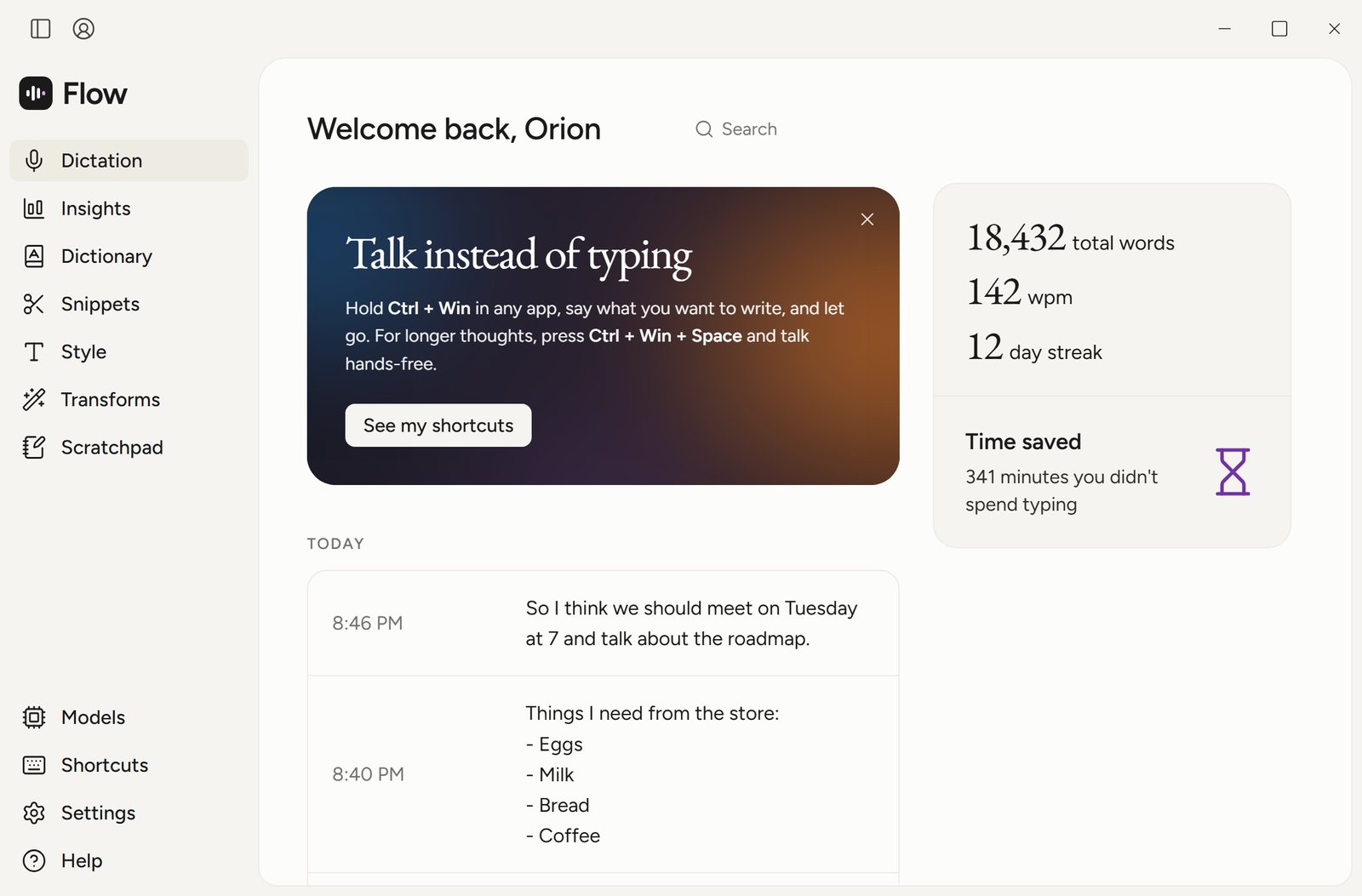
The features most people switch for are there too: a personal dictionary that learns words you correct, snippets, per-app writing styles (formal for email, casual for chat), voice commands like “new paragraph” and “scratch that”, a command mode that edits selected text by voice, and 99 languages with auto-detect.
Is local dictation fast enough?
On a desktop with a recent NVIDIA graphics card, yes. We timed the gap between letting go of the key and the finished, cleaned-up text appearing, 20 runs per length:
Time from releasing the key to finished text (median)
On older or low-power laptops a cloud service can be faster and more accurate. Flow covers that case too: you can switch to a cloud engine with your own Groq or OpenAI-compatible key, and it falls back to the local engine if the cloud can't be reached.
Open-source Wispr Flow alternatives compared
Toolbay Flow is one of several open-source options, and the newest. The two best-known ones, from their GitHub pages:
| Feature | Toolbay Flow | Handy | OpenWhispr |
|---|---|---|---|
| License | MIT | MIT | MIT |
| Runs offline | Yes | Yes | Yes, with local models (cloud optional) |
| AI cleanup | Built in: local model, per-app styles | Optional post-processing | Optional, local or your own key |
| GitHub stars | New (October 2026) | About 34,000 | About 9,700 |
| Code | sriptcollector/toolbay-flow | cjpais/Handy | OpenWhispr/openwhispr |
What you give up by switching
- No phone apps. Wispr Flow has iPhone and Android keyboards; Toolbay Flow is desktop only.
- The Mac version is newer and not yet signed by Apple, so macOS asks you to approve it on first launch.
- No team billing, admin controls or HIPAA business agreement.
- On Windows, speech runs on NVIDIA GPUs or the CPU; AMD and Intel GPUs fall back to the CPU for now.
- It's a young open-source project. Bugs get reported and fixed in public, in the Toolbay community.
Who should switch, and who should stay
Switchif you dictate on a Windows PC, want your voice to stay on your computer, hit the free plan's weekly word limit, or would rather not pay $144 a year for dictation.
Stay with Wispr Flow if you need dictation on your phone, a team plan with admin controls, or a vendor that signs a HIPAA agreement.
How to switch in three steps
- Get Toolbay Flow from its tool page: install the free Toolbay app, and it installs Flow in one click with a starter model, so it works right away.
- Click into any text box and hold Ctrl + Winwhile you talk. If Wispr Flow is still running, quit it first so the two apps don't share a shortcut, or change Flow's shortcut in Settings.
- Add your names and jargon in the Dictionary page. Flow then picks a better model for your hardware in the background.
Dictating without the internet on Windows? Our guide compares every free way: offline speech to text on Windows.
Related
- Toolbay FlowScreenshots, reviews and how to get it
- Free Granola alternativeCereal vs Granola: free, unlimited, no bot
- Offline speech to text on WindowsThree free ways to dictate without the internet
- How to voice type on a PCWin+H, Voice Access or a free hold-to-talk hotkey
- Vote on the next rebuildPick the paid app Toolbay rebuilds next
Wispr Flow is a trademark of Wispr. Toolbay's tools are independent open-source projects, inspired by Wispr Flow, and are not affiliated with or endorsed by Wispr.